Train it on your history. Run it beside your controls.
Ronin builds models from the tags your historian already logs. Koios runs them on your site, inside the limits your PLC enforces. Curtis answers questions about your models and your organization.
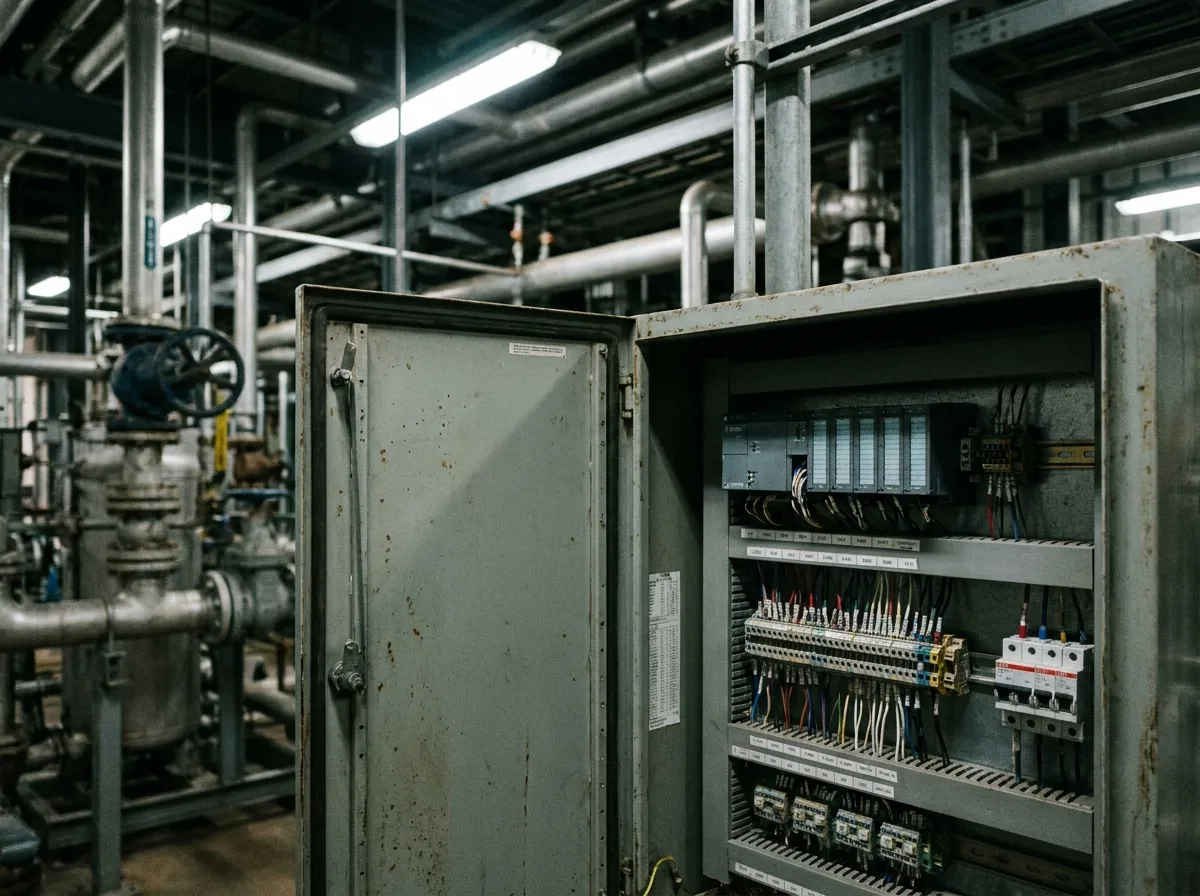
Ronin builds. Koios runs. Curtis explains.
Each has its own page with the detail. This is how they divide the work, and what you would use each one for.
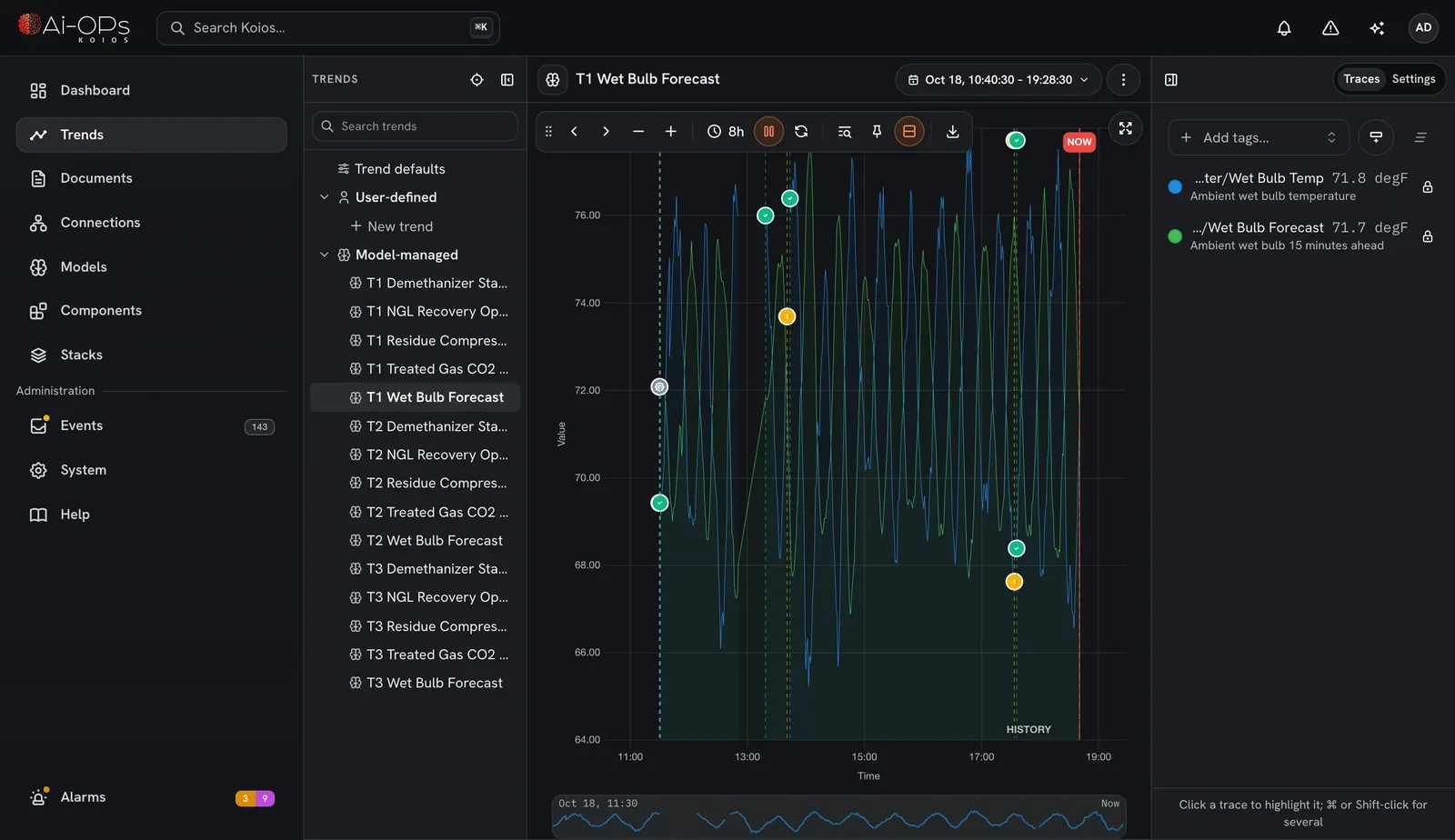
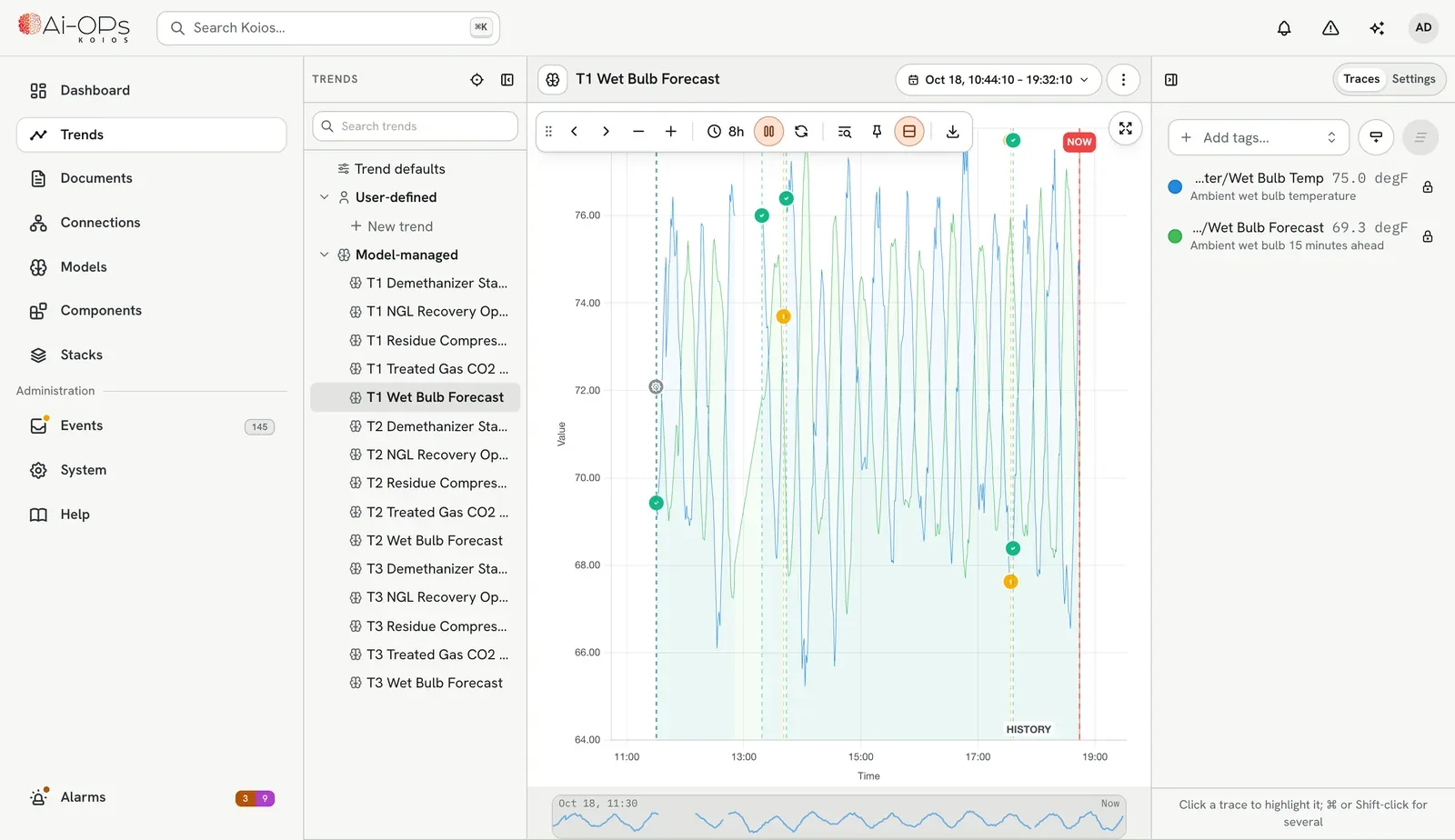
Koios
The edge platform next to your controls, in the cabinet, on a server or air-gapped.
- Reads and writes over OPC UA, Modbus TCP and EtherNet/IP
- Runs your models and your own Python live
- A tamper-evident record of every write
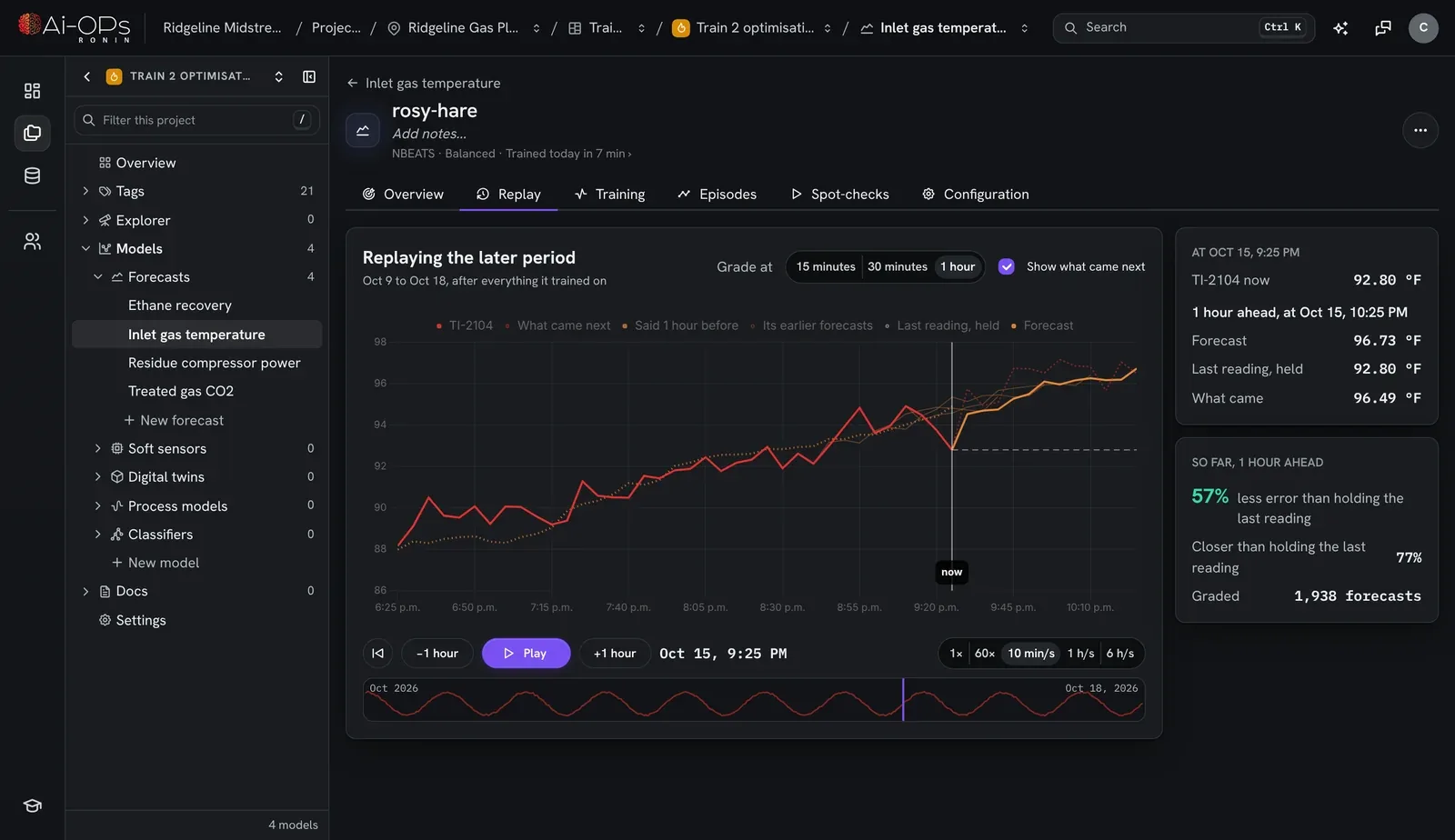
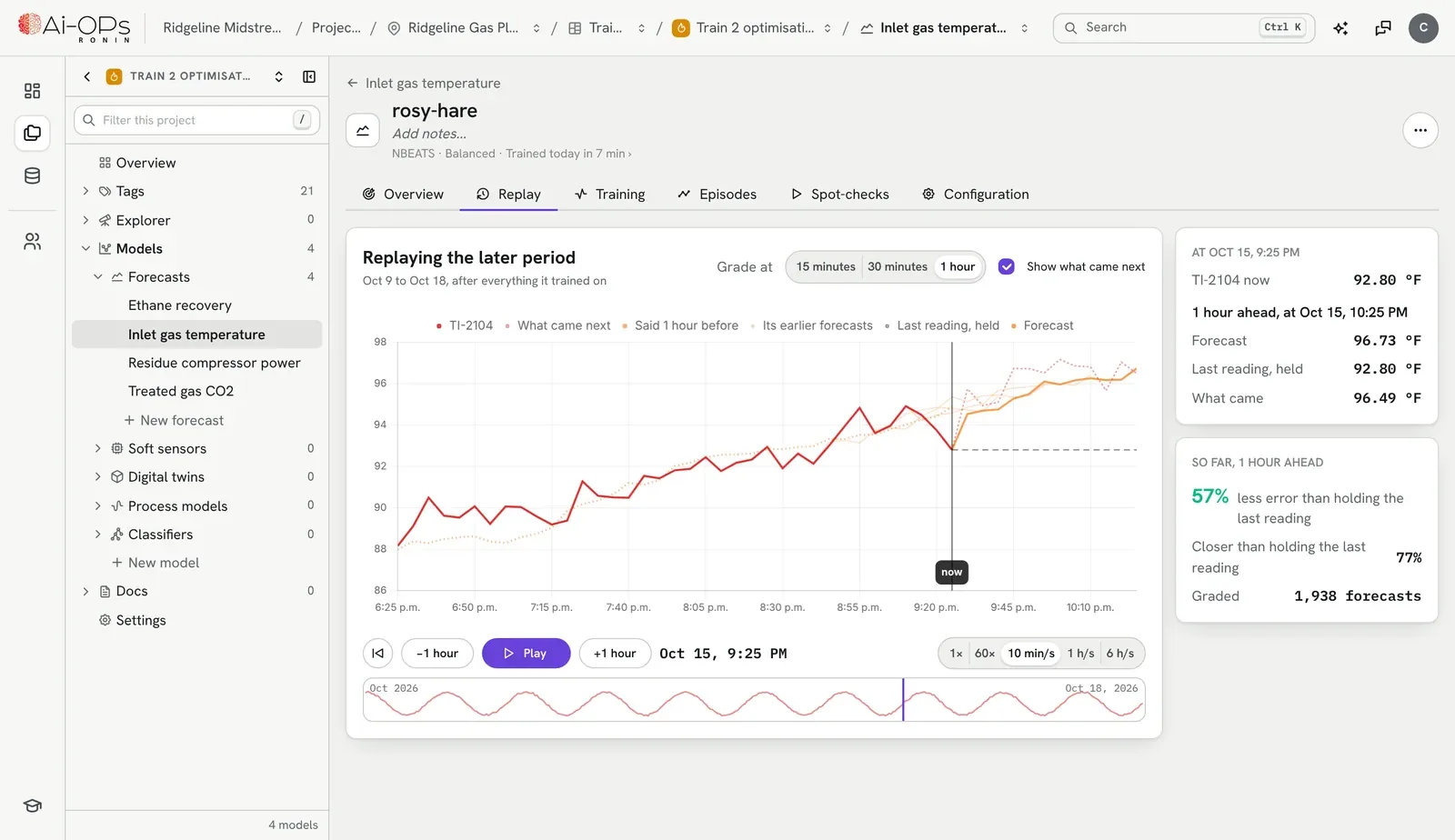
Ronin
Model training for engineers, on your own process history.
- Forecasts, soft sensors, anomaly detection
- Graded on history it never trained on
- Exported as an ONNX file Koios runs
The lab value lags the line by about six hours, so the model is graded against that.
Which tags would help this soft sensor most?
Feed rate and inlet temperature. FI-2101 and TI-2104 both lead the lab value by about a shift. Worth trying on the next run.
Curtis
Ask Curtis. An assistant that knows your Ronin projects and your account in the portal.
- Plant insight from your own data
- A partner for brainstorming the next model
- Plain answers, with sources
From a forecast on a screen to a hand on the valve.
Pick the level that fits the loop. The same products cover every one of them, and your existing controls stay in charge.
PID, MPC and AI, wired side by side.
Koios puts the controller you run today, an MPC and a model on the same canvas, with a select between them. You decide which one has the loop.
- Write the PID and MPC you trust as Python components
- Your native controller keeps running underneath, ready to take the loop back
- Every switch and every write lands in the audit log
No rip and replace.
If your control system can expose a tag, Koios can read it, and write back to it where you allow. Nothing in between, and nothing to rewire.
A license for each plant. A seat for each person.
Koios is licensed per site and keeps running whether or not anything upstream does. Ai-OPs Cloud is a seat per person, and each seat gets Ronin and Curtis.
Koios
Install it where the loop is and activate it with a small file, carried on a USB drive if the network is air-gapped.
- Protocols, models and canvases on one license
- Choose how many machines and how many years in the customer portal
- Support from the people who build it, with every license
Ai‑OPs Cloud
Seats are for the people who build and question the models. Your administrator assigns seats in the portal.
- Ronin and Curtis with every seat
- Usage, invoices and seats in one place
- Add or move a seat whenever the team changes
Start with the loop that keeps drifting.
Try Koios on one loop for 30 days. Reach out with any questions, or to start your trial.
- 01Ask for a trial
Tell us about the site and the loop you have in mind.
- 02Install Koios
On a spare machine or a VM, connected to one controller.
- 03You decide
See what it does with your own tags over 30 days.