Train models on your own process data.
Classification, soft sensors, forecasting and anomaly detection, without a data science team. Clean the history, trend it, train it, and take the model to Koios as a file.
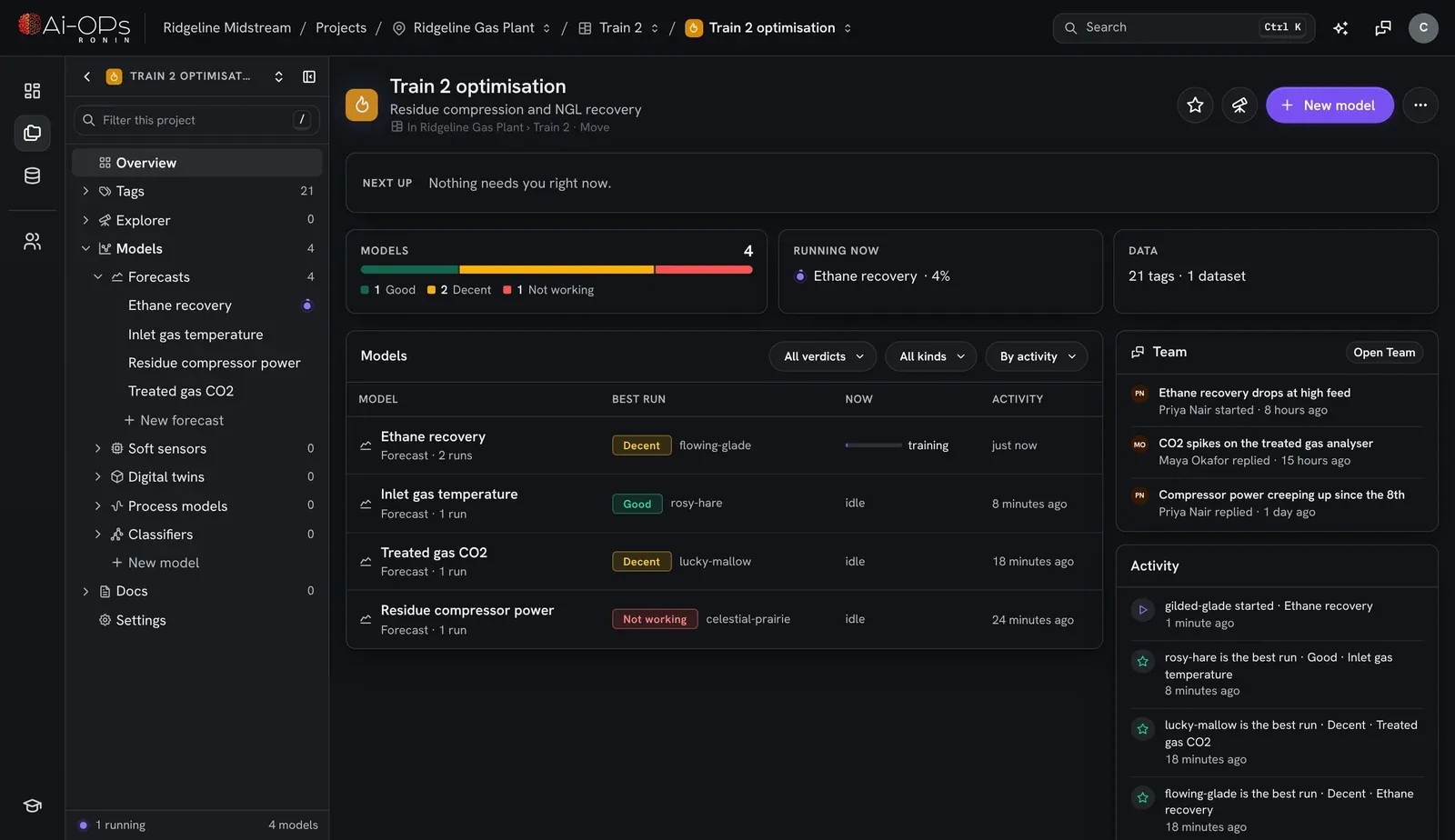
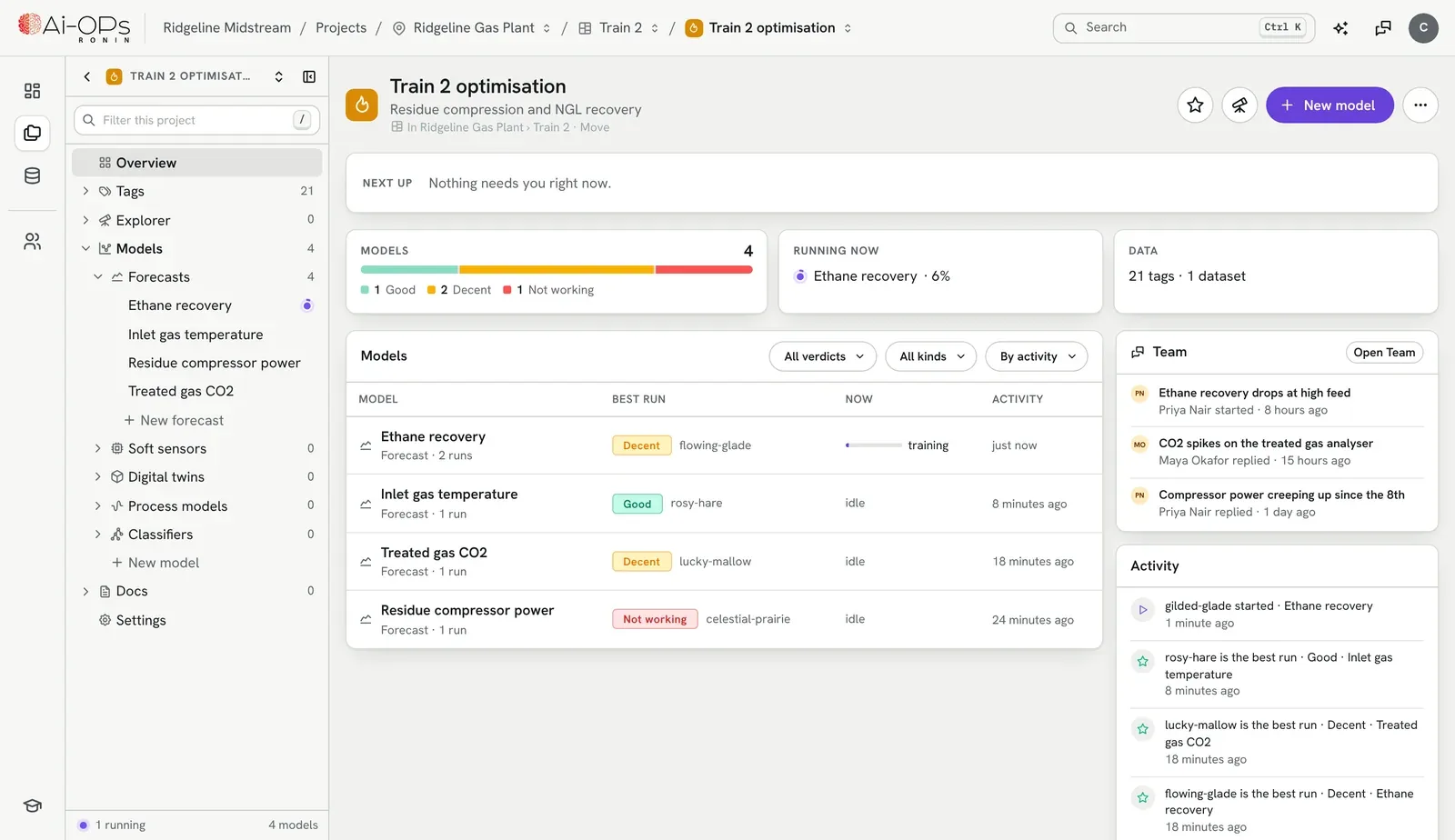
From a historian export to a running model.
Every step lives in one project, so the person who trains the model can show the person who runs the plant exactly how it was built.
- 01
Bring the data
Upload historian exports, spreadsheets or CSV files.
- 02
Clean it
Fill gaps, drop bad values, keep tags inside limits, and fence off shutdowns.
- 03
Pick the inputs
Choose the tags a model reads. Try a different set on the next run and compare.
- 04
Train
Pick a model type and train it on the windows you choose.
- 05
Validate
Score it against history it never saw, and against simple baselines.
- 06
Deploy
Export to ONNX, upload the file to Koios, and bind its inputs and outputs to your tags.
Your history, cleaned the way an engineer would.
Plant data is messy. Ronin keeps the raw tags untouched and records every rule you apply, so you can see what the model actually learned from.
Historian exports
Drop in spreadsheets and CSV files. Ronin finds the timestamps and tags for you.
The raw data stays raw
Rules sit on top of the tags rather than rewriting them, so you can change one and train again.
- Between
- keep a tag inside its real range
- Fill
- forward fill, back fill or interpolate
- Drop
- remove values you know are wrong
- Set
- pin a value for a known period
Exclusion zones fence off shutdowns and trials. Marks note the events worth remembering.
Four kinds of model, one way of working.
Each one is set up from the tags in your project and validated the same way before it goes anywhere.
Classification
Is the batch good? Is the pump about to trip? Which state is the unit in? Trained on labeled events.
XGBoost · LightGBM · logistic regressionSoft sensors
The lab value you only get twice a shift, estimated live from the tags you already have.
from your own tagsForecasting
Where a tag is heading over the horizon you pick, so operators can act before it gets there.
N-BEATS · TCN · GRUAnomaly detection
What normal looks like for this unit, and a flag when it stops looking like that.
learned from your normalDigital twins of a unit, and process models fitted from your step tests, self-regulating or integrating, to carry into an MPC you write in Koios.
Custom Python in Koios →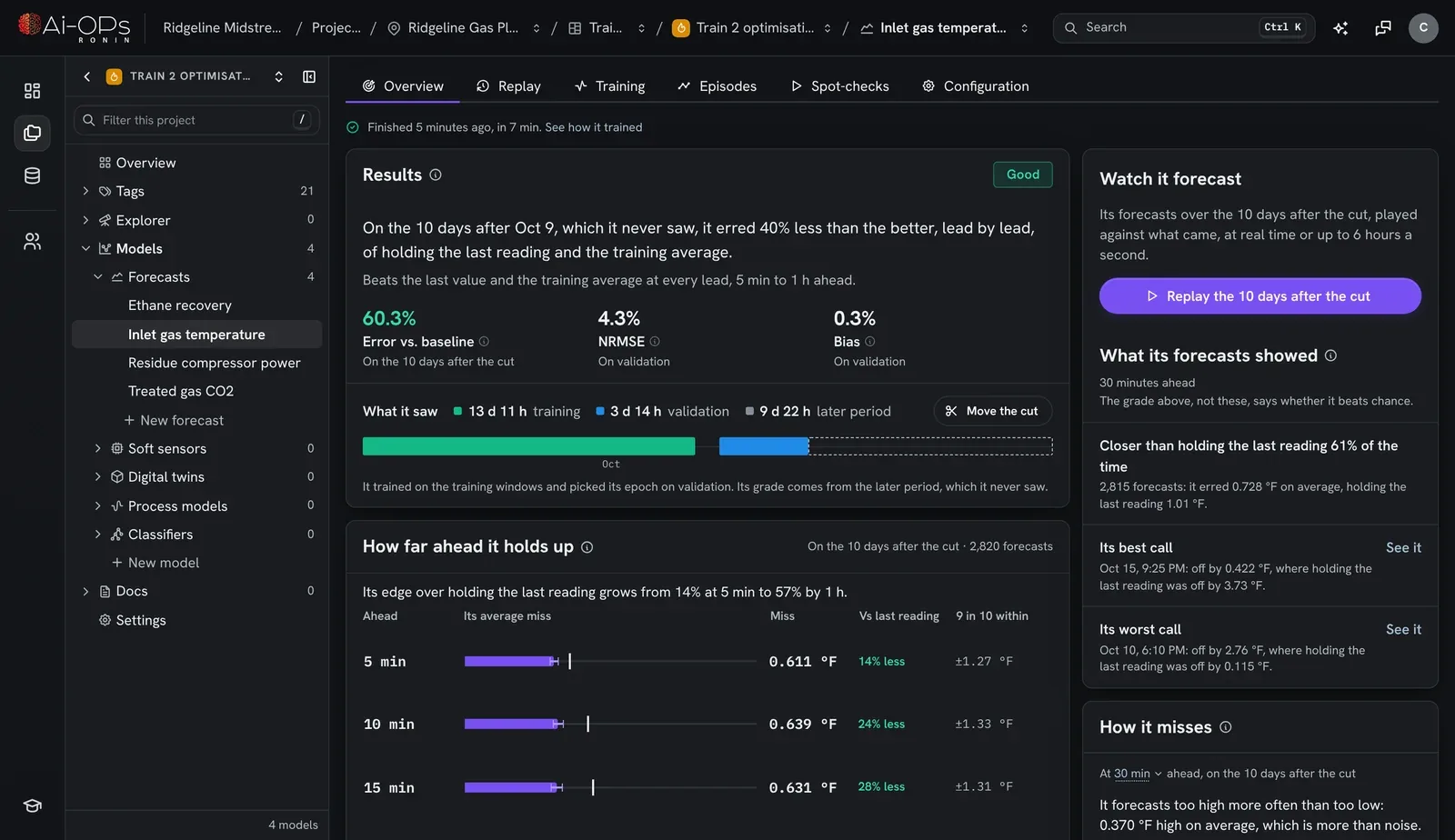
Know it's ready before it touches the plant.
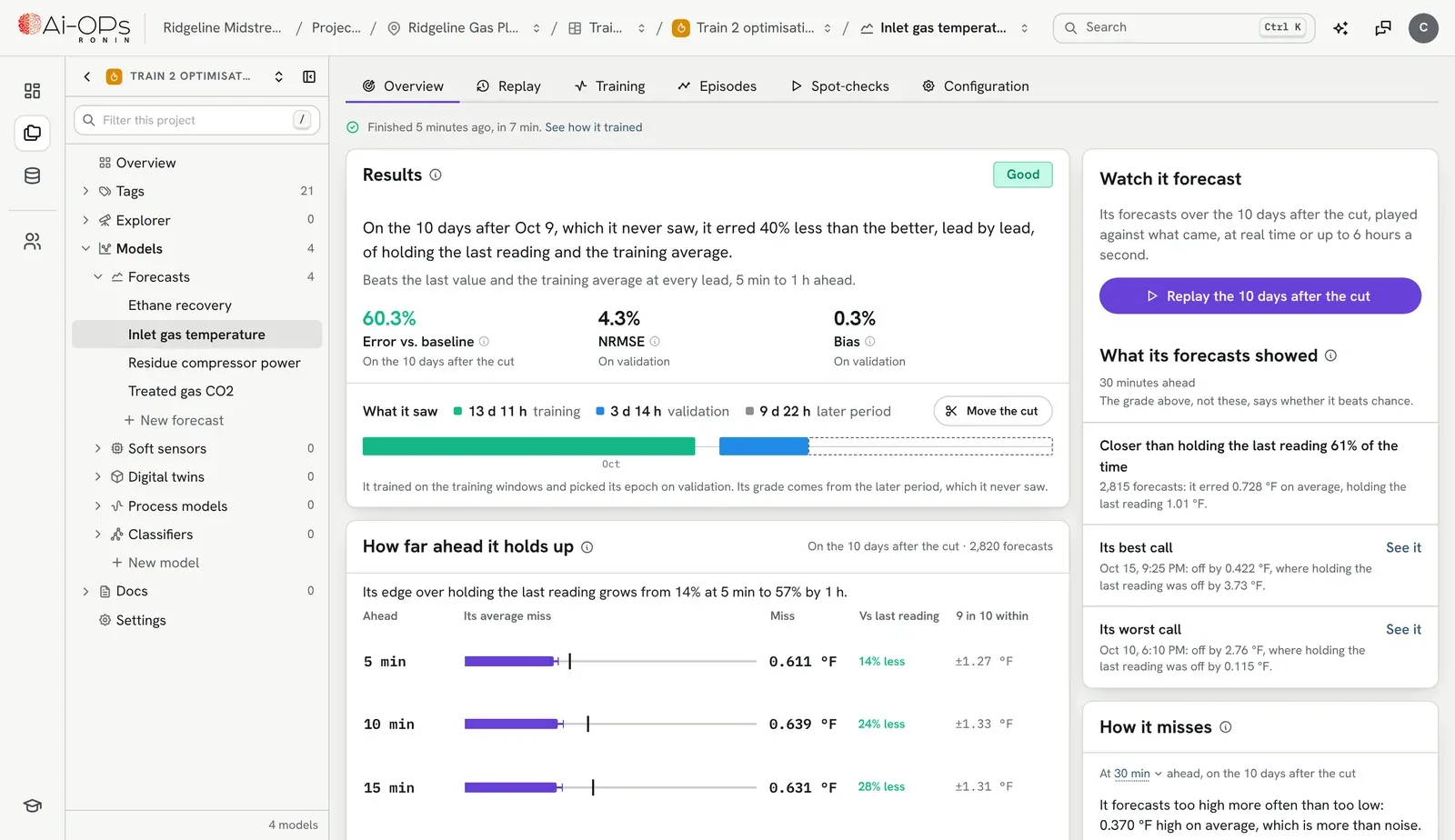
Every run is graded on a later period it never saw, and it has to beat the simple answers: holding the last reading, or the training average. Ronin says so in a sentence, not just a score.
- A plain verdict on every run, so the best one is obvious
- How accurate it stays as you forecast further ahead
- Move the training cutoff and grade it again on different days
Every run shows its work.
A score is where the questions start. Ronin keeps the answers to the next ones with the model.
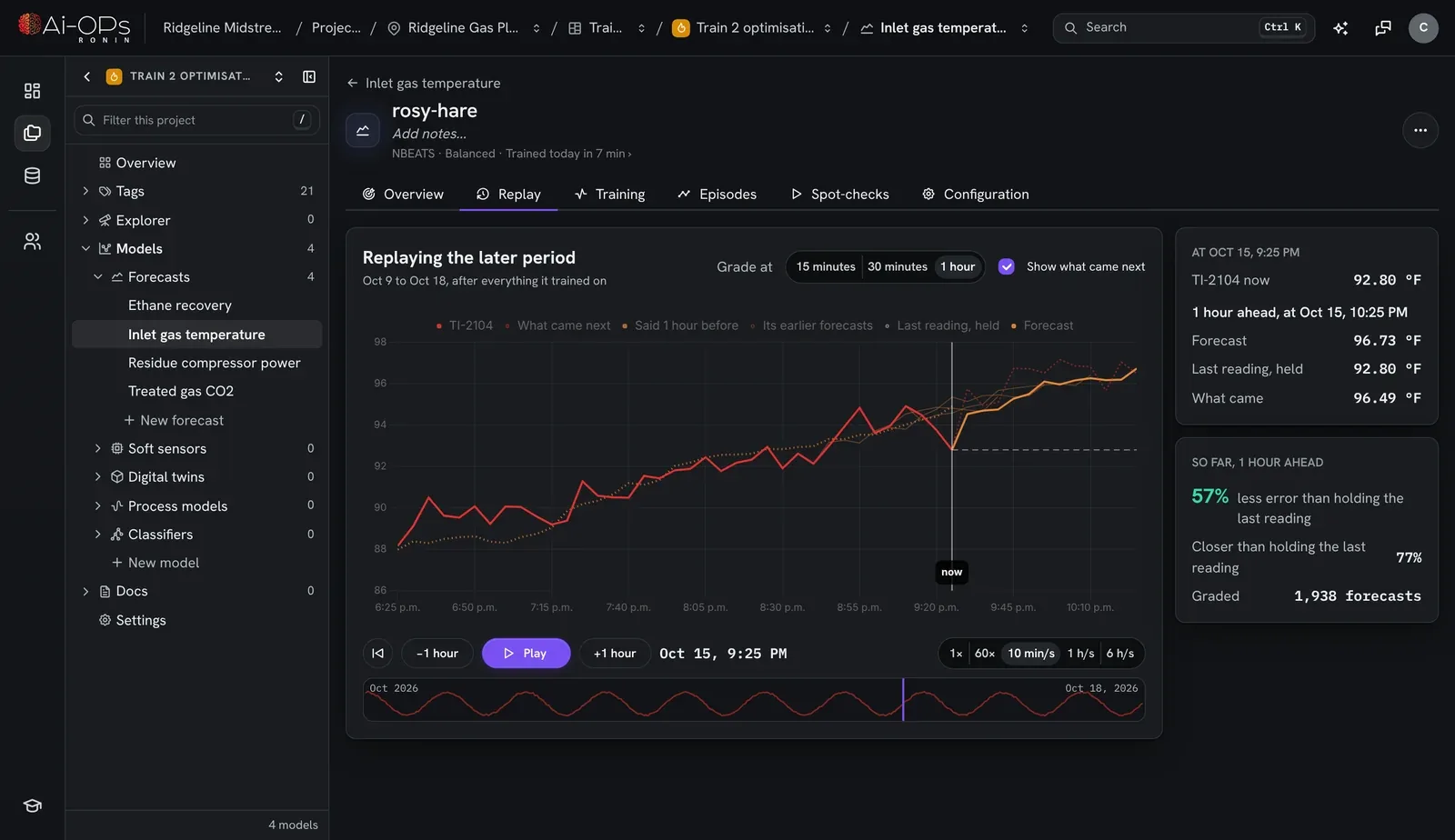
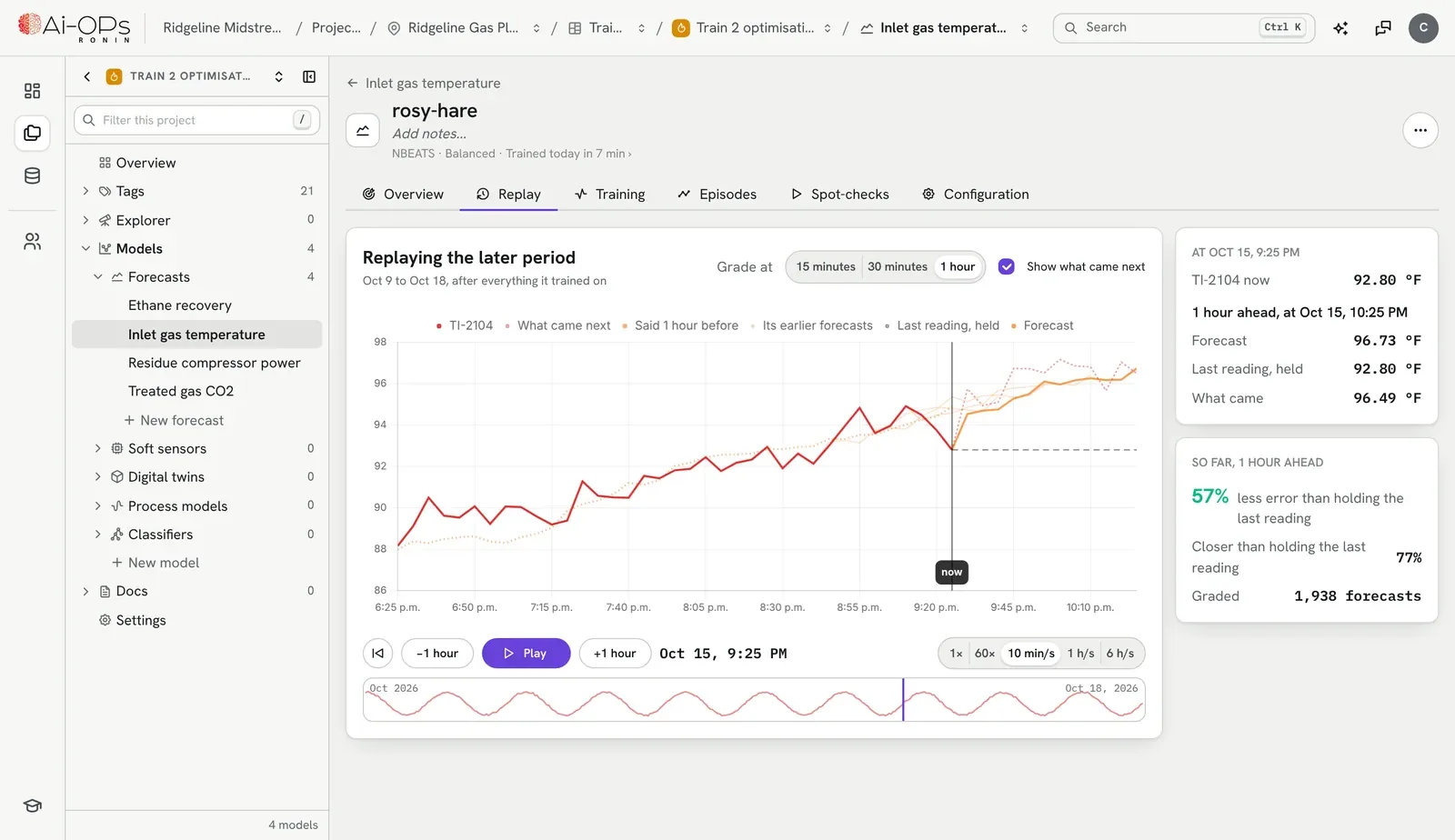
Watch it forecast.
Play back the days after training ended, at real time or faster, with what the model said next to what actually came. Then spot-check it on data that arrived after it trained.
See how it trained.
How long each stage took, which epoch it kept and why, and every validation measure explained in plain words.
See which way it misses.
Residuals against the prediction, and accuracy across the operating range, so you know where a model is weaker before it runs.
Not a notebook on one laptop.
An assistant in every project.
Ask why a model scored the way it did, which tags to try next, or what a gap in the data is hiding. Curtis reads the project and answers in plain words.
Everyone sees the same work.
Organize projects by site and area, keep notes and files with the model, and talk it through in threads. Everyone with a seat sees the same work.
The model runs at the plant.
Training happens in Ronin. The exported file runs in Koios next to your controls, and keeps running with no line back to the cloud.
Ronin comes with an Ai-OPs Cloud seat, along with Curtis. Your organization assigns seats in the portal.
How seats work →Bring the tag you wish you could see.
Start a 30-day trial and see what Ronin finds in your own history. Questions first? Talk to an engineer.
- Dryer2.OutletMoisturethe value you care about
- The tags around ittemperatures, flows, speeds
- A few months of historyCSV or a spreadsheet